BEMRIX / FLUTTER MOBILE APP & EXPLAINABLE AI
Transparent models.
Thoughtful design.
VitaGuard AI is a Flutter mobile app that turns a machine-learning experiment into an approachable experience: structured inputs, explanations with context and results you choose to keep.
Explore the mobile app ↓
THE MOBILE EXPERIENCE
From first tap
to an explanation.
VitaGuard brings model selection, structured input, explainable results and saved explorations into one Flutter mobile application. Touch-friendly controls and a single-column layout keep the flow clear on a phone.
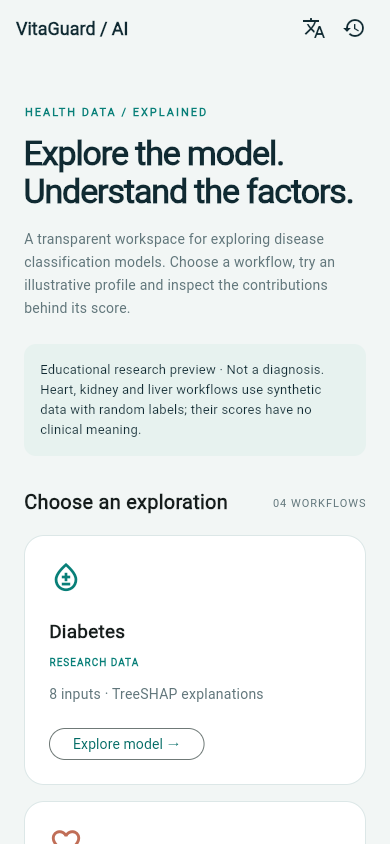
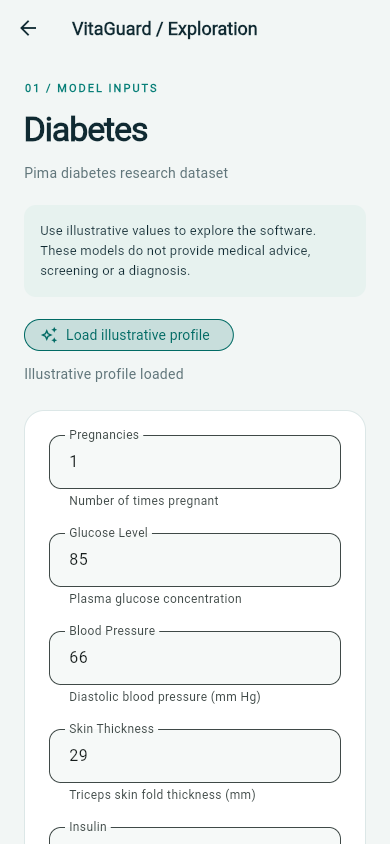
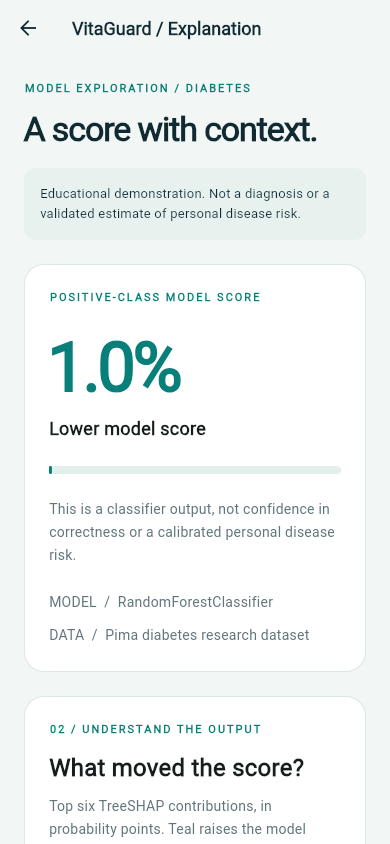
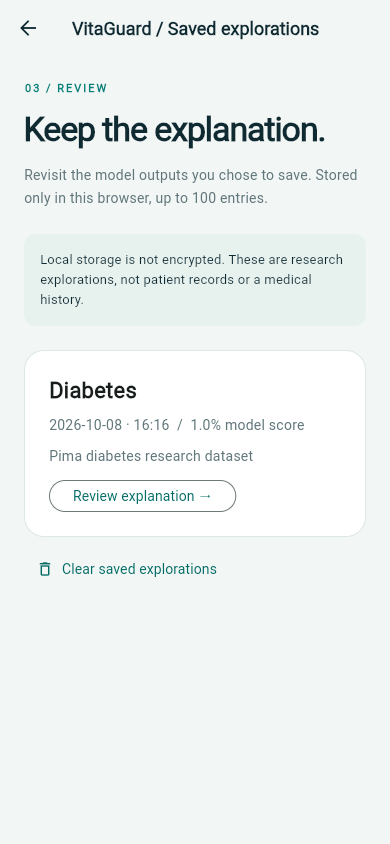
Actual Flutter application captures at phone dimensions, presented in device frames. Captured through the web build; native Android and iOS release testing remains a separate stage.
THE DESIGN CHALLENGE
Make the explanation
part of the experience.
A percentage alone leaves too much unanswered. What does it represent? Which inputs influenced it? What data was the model trained on?
VitaGuard brings those questions into the interface. The application connects four model workflows while making their different data origins visible. The focus is transparent software engineering and a usable path through complex forms.
01 / A CLEAR STARTING POINT
Four workflows.
One consistent workspace.
Diabetes, heart, kidney and liver explorations share a calm visual system. Model availability, input counts and research or synthetic-data labels help visitors understand what they are opening.
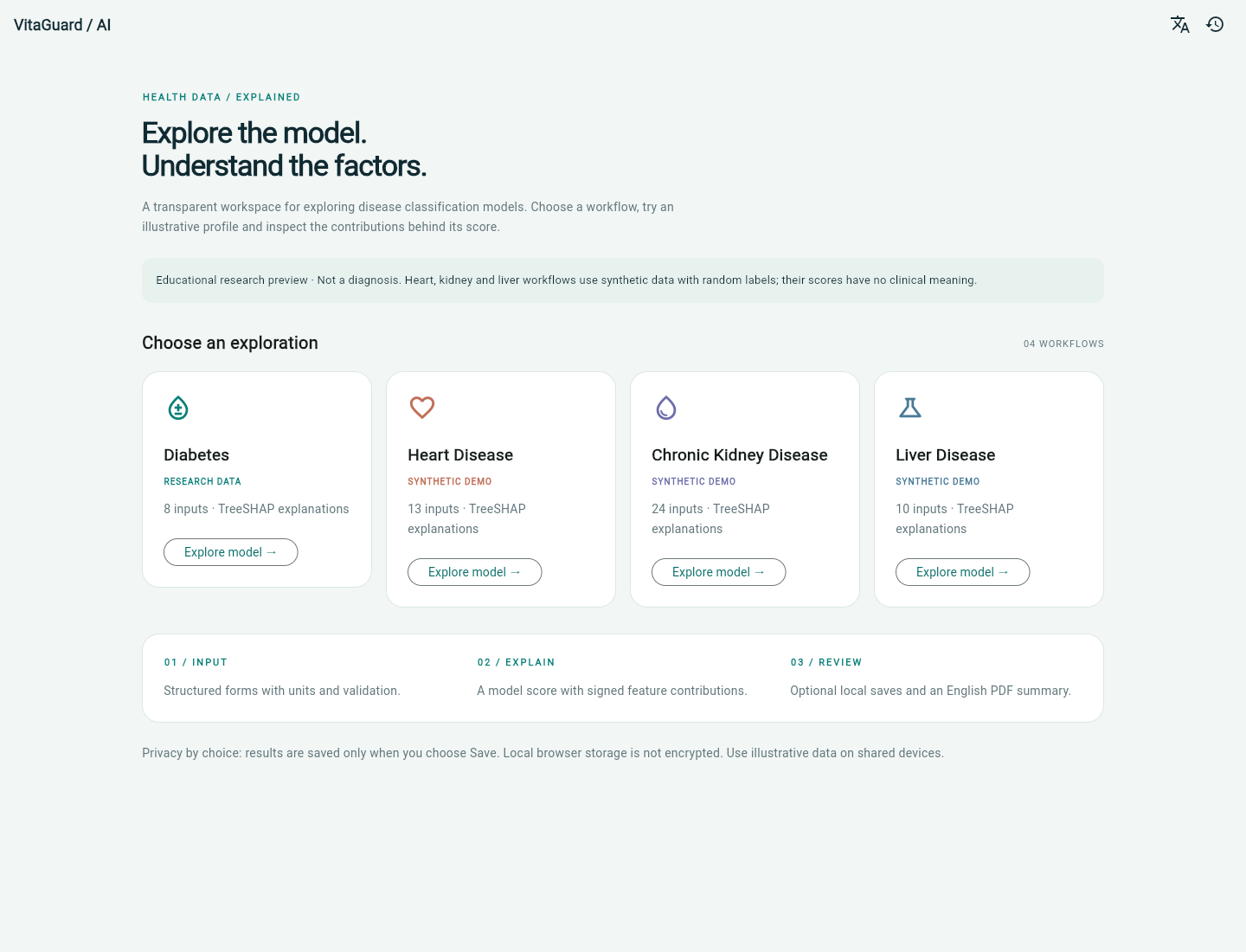
Captured from the running Flutter application. Each model card identifies its dataset type before an exploration begins.
Responsive by design
Four-column cards adapt to smaller screens. Forms and explanations move from side-by-side panels to a single reading column.
Schema-driven forms
The API supplies field definitions, units, choices and validation metadata. An explicit sample-profile action makes demonstrations easier.
Language foundations
Existing English, Spanish, French and Urdu field translations are retained. The refreshed application shell and PDF are English; complete localization remains future work.
02 / FROM INPUTS TO INSIGHT
Structured inputs.
Visible reasoning.
Forms reject missing choices, non-finite numbers and values outside the API schema. Each model response includes the positive-class score, baseline and signed contributions, with the sum checked against the prediction.
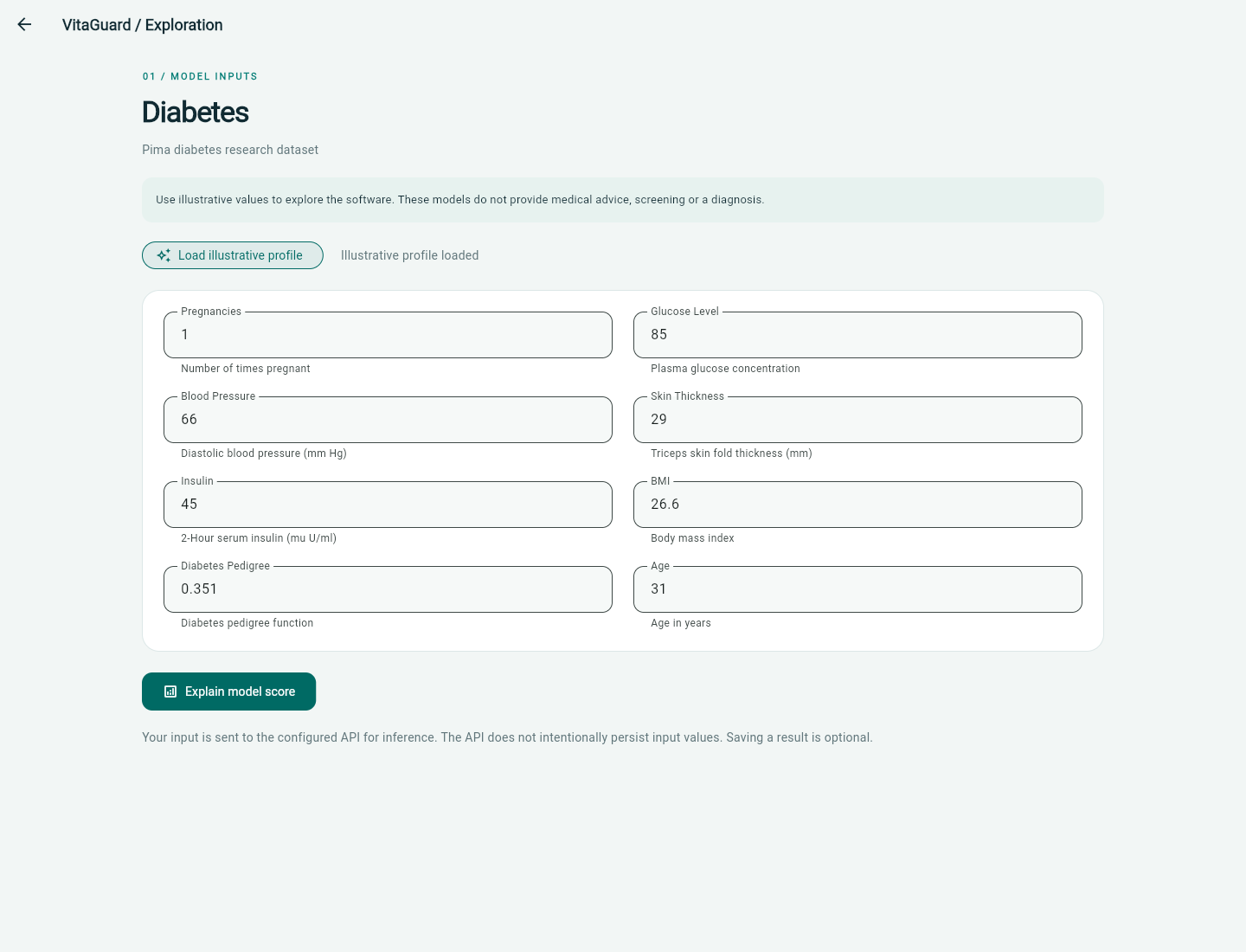
A clearly labelled sample fills the form for a software demonstration. Technical input bounds are not clinical reference ranges.
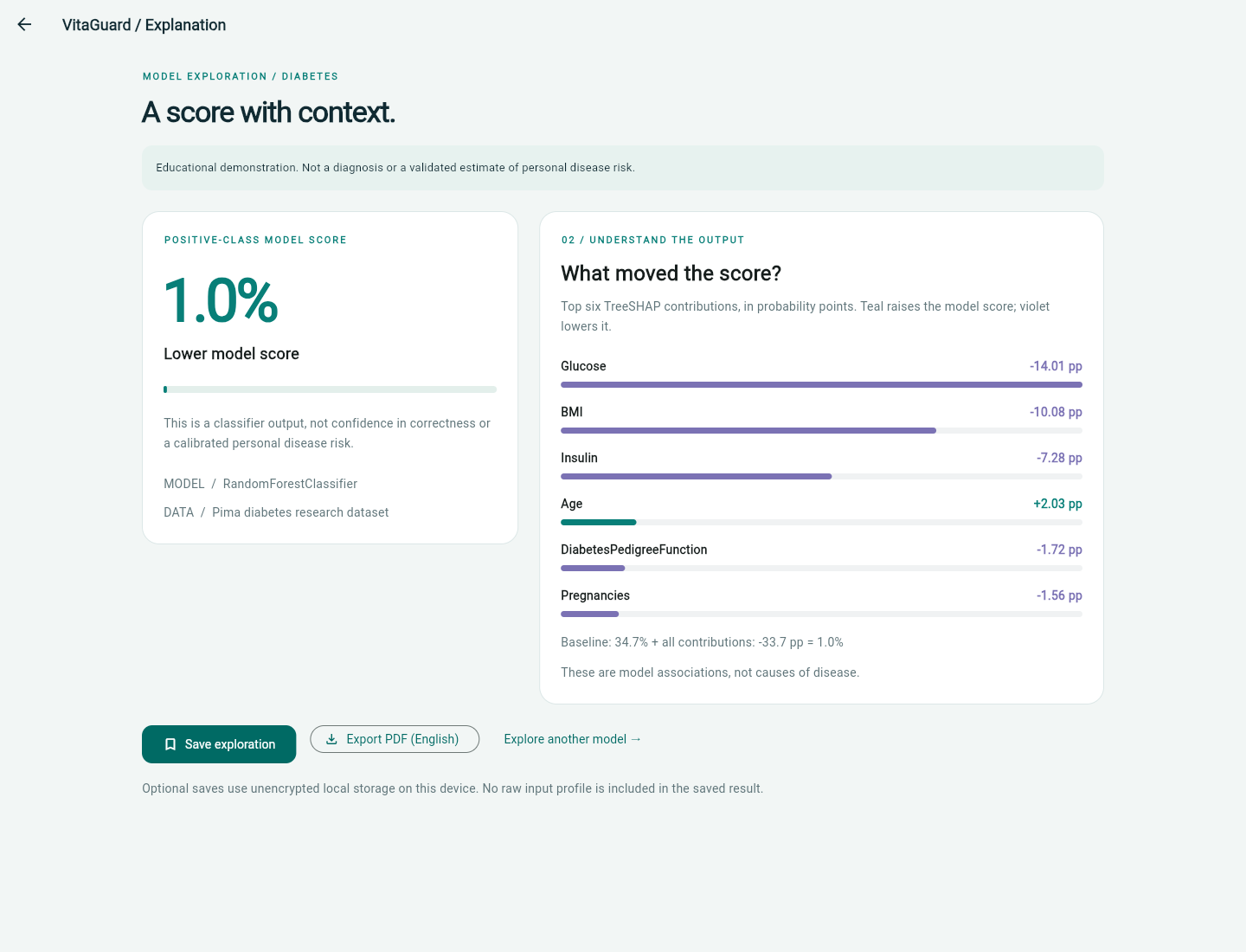
Contributions describe the classifier, not causes of disease. A model score is not confidence in correctness or a validated estimate of personal risk.
03 / REVIEW & EXPORT
Keep only what you choose.
Saving is an explicit action. A result can be reviewed from local history, removed through the clear-history flow, or exported as an English PDF containing the model score, provenance and explanation.
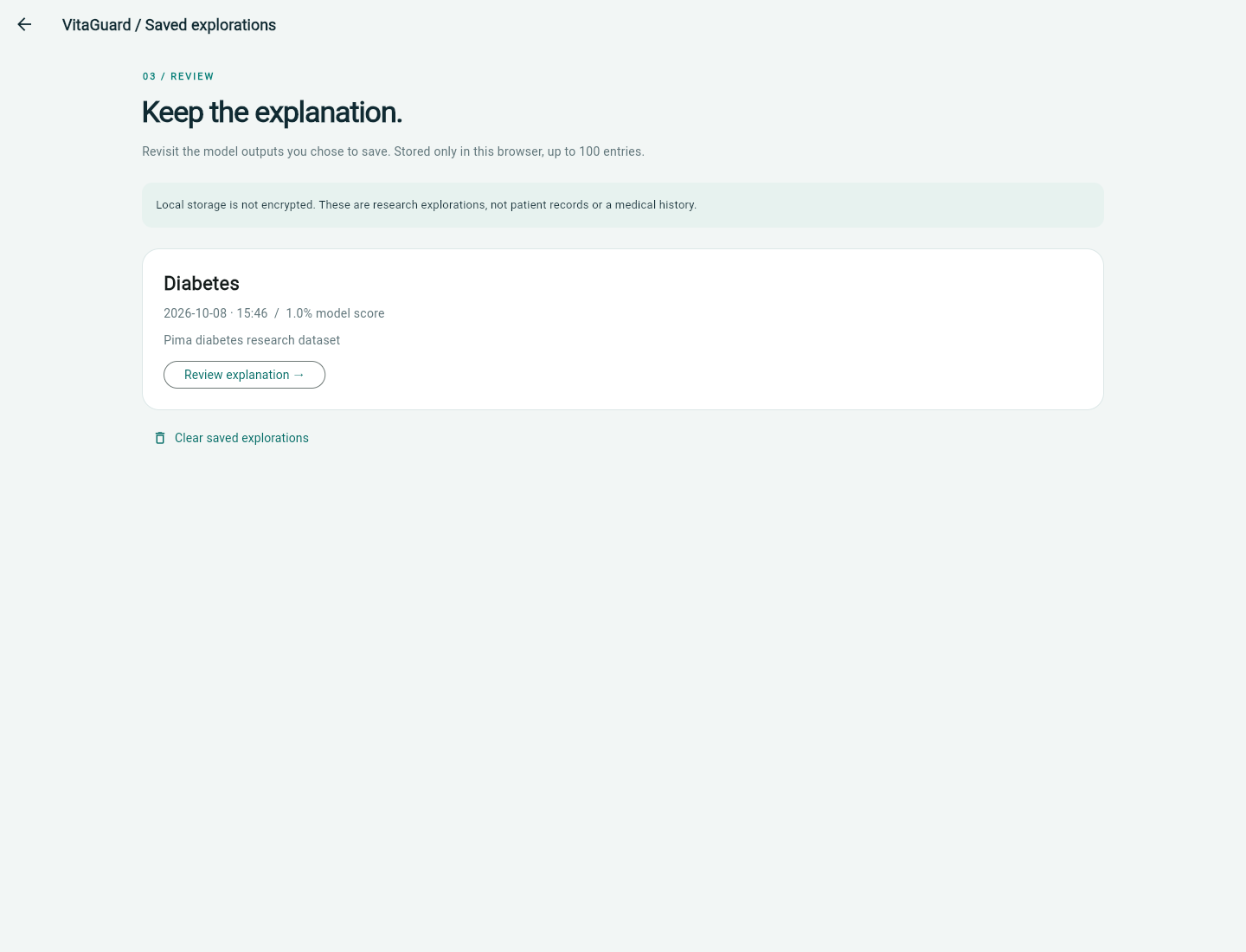
The browser stores up to 100 saved results without raw input profiles. This storage is unencrypted and is not presented as a secure medical-record system.
SMALL SCREEN, SAME WORKFLOW
Designed to travel
across screen sizes.
The Flutter web preview demonstrates the same model-selection and analysis flow on desktop and phone-sized screens. Native-device release testing remains a separate stage.
View the illustrative PDF export ↗
ENGINEERING WITH CONTEXT
Built to explain.
Careful about its claims.
The local audit verified that the heart, kidney and liver CSV files exactly match the repository’s synthetic-data generator, including randomly generated outcome labels. Their outputs demonstrate the application pipeline and have no clinical meaning.
The diabetes workflow uses the Pima research dataset. It is not clinically validated, and no new training or independent model-performance evaluation was performed during this restoration. Existing preprocessing and evaluation methods need further review before making accuracy claims.
This case study demonstrates interface design, API integration, input validation, explainability and local persistence. It does not present VitaGuard as a diagnostic, screening or treatment product.
Reliable integration
Configurable API origins, request timeouts, validation errors and recoverable connection states replace device-specific assumptions.
Verifiable explanations
All four model responses are checked for SHAP additivity. Full contributions are retained with saved results and the largest are shown in the interface.
Deliberate persistence
Optional saves, bounded storage and explicit removal give users control over the demonstration results kept in their browser.
Have a complex workflow
that needs a clear interface?
We connect thoughtful product design with working applications and understandable data experiences.
Discuss your project ↗