BEMRIX / FLUTTER MOBILE APP
Every asset.
A little more clarity.
TagTrack connects the things a team uses with the records that keep them moving. A QR label opens the asset, its location, its availability and its movement history.
Explore the mobile experience ↓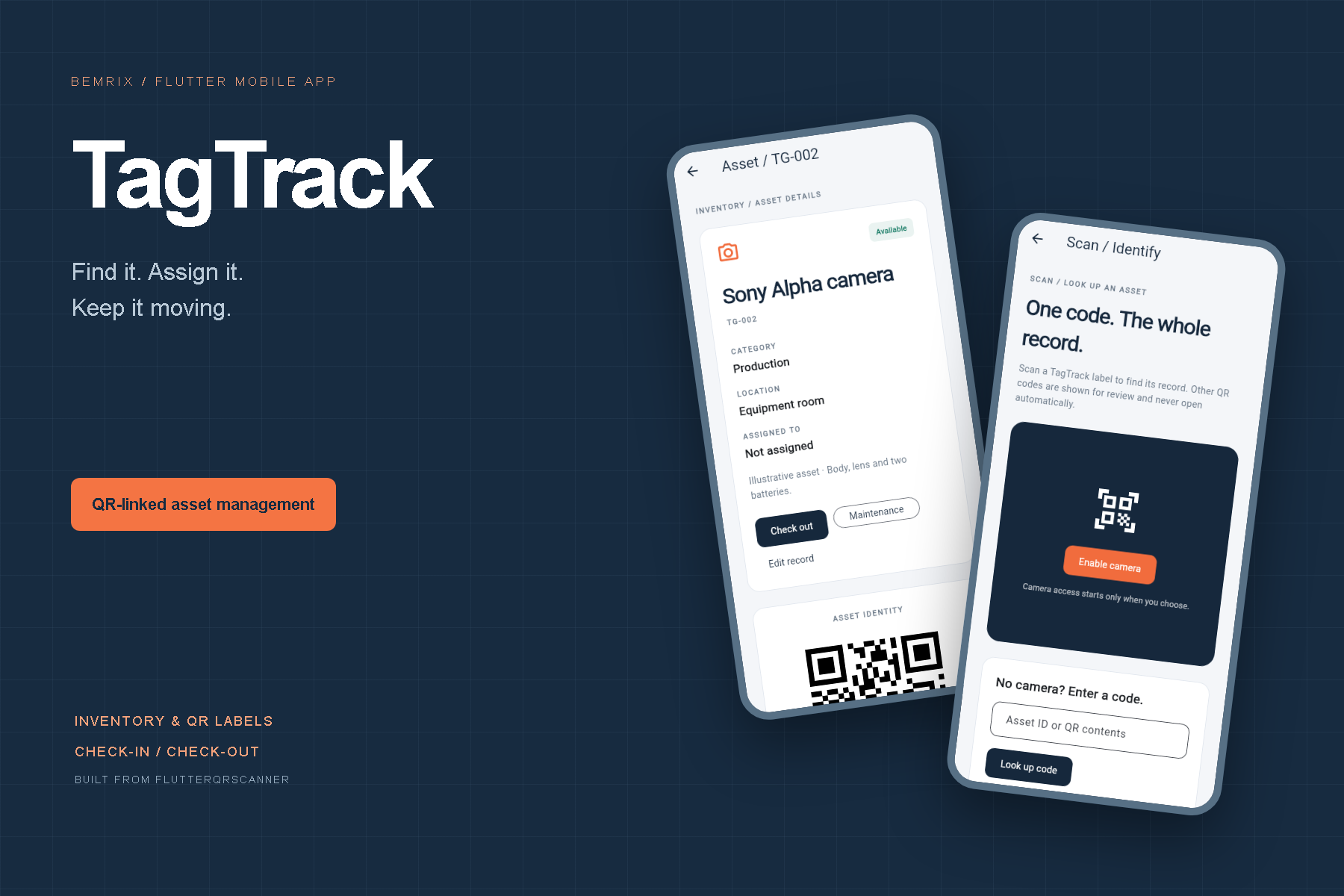
FROM UTILITY TO WORKFLOW
A scanner was
only the beginning.
The original FlutterQRScanner contained a camera screen and a text result. We recovered that project from GitHub and expanded it into an asset-management experience with a clear purpose.
The result links a scan to an actionable record: find the right item, see where it belongs, assign it to a person or team, and record its return.
01 / THE MOBILE EXPERIENCE
Useful at the desk.
Ready for the handoff.
A phone-friendly Flutter interface brings inventory, QR identification and asset details into one flow. Clear status labels and explicit confirmations keep everyday updates understandable.
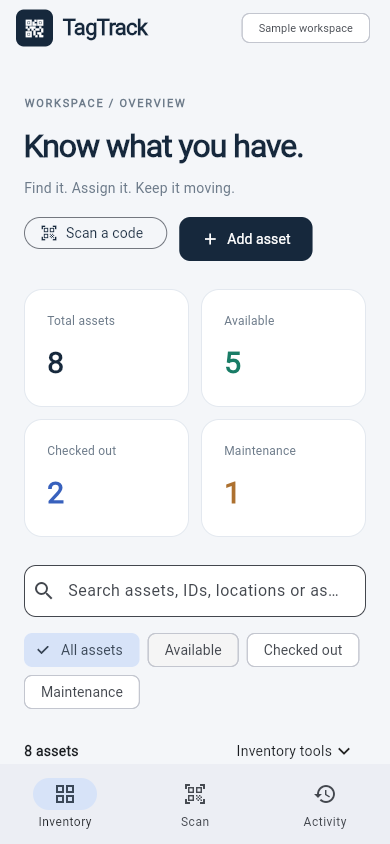
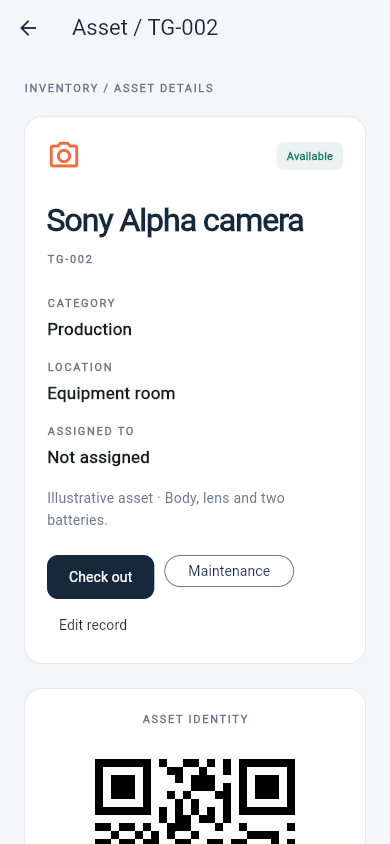
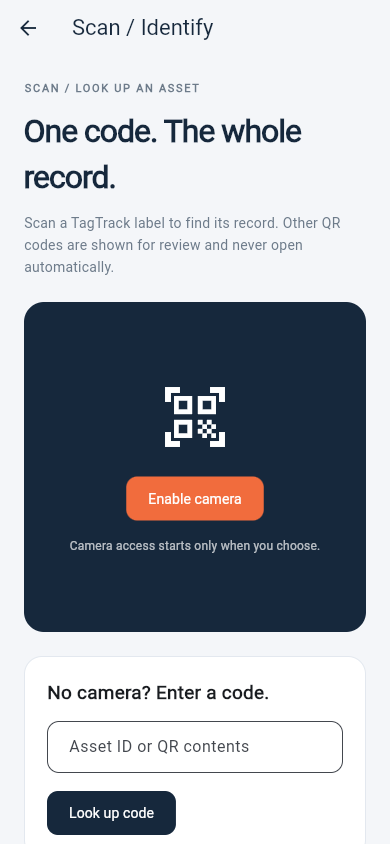
Real Flutter web captures at phone dimensions. Native camera behavior and store release testing remain separate work.
02 / ONE INVENTORY, LESS SEARCHING
Know what you have.
Search by name, ID, location, category or assignee. Filter available, checked-out and maintenance items, with counts calculated from the current inventory.
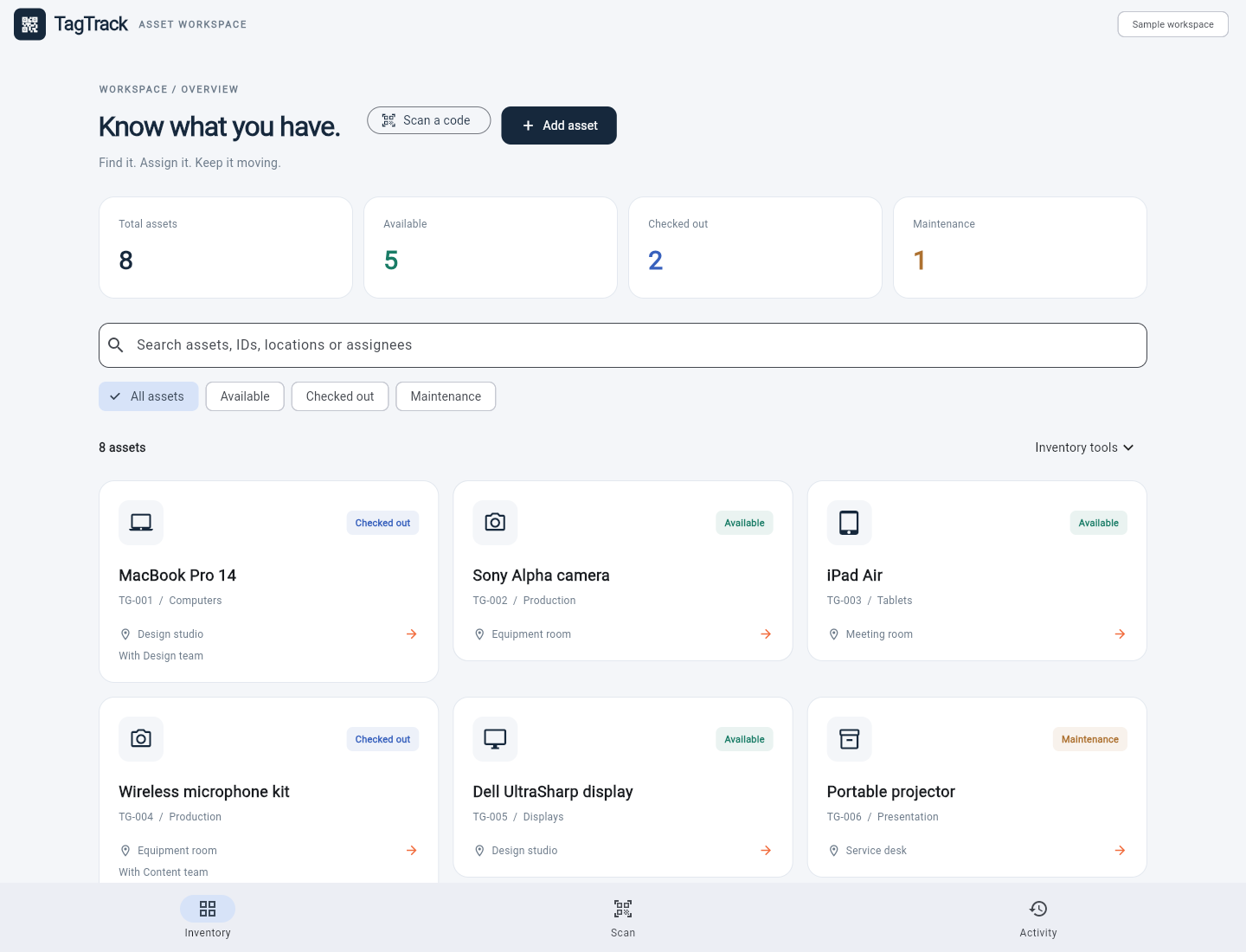
The showcase uses an explicitly loaded sample workspace. Users can start with an empty inventory and add their own records.
Records with identity
Unique IDs connect names, categories, locations, notes and optional photos to a reusable QR code.
Practical movement states
Check-outs require an assignee. Returns clear that assignment, and maintenance marks an item unavailable.
Local by design
Inventory persists on the current device. There is no account, server dependency or implied team synchronization.
03 / IDENTITY & ACCOUNTABILITY
The label opens
the story.
Asset details combine the current record, a downloadable QR code and retained movement events. A manual-code field offers the same lookup path when a camera is unavailable.
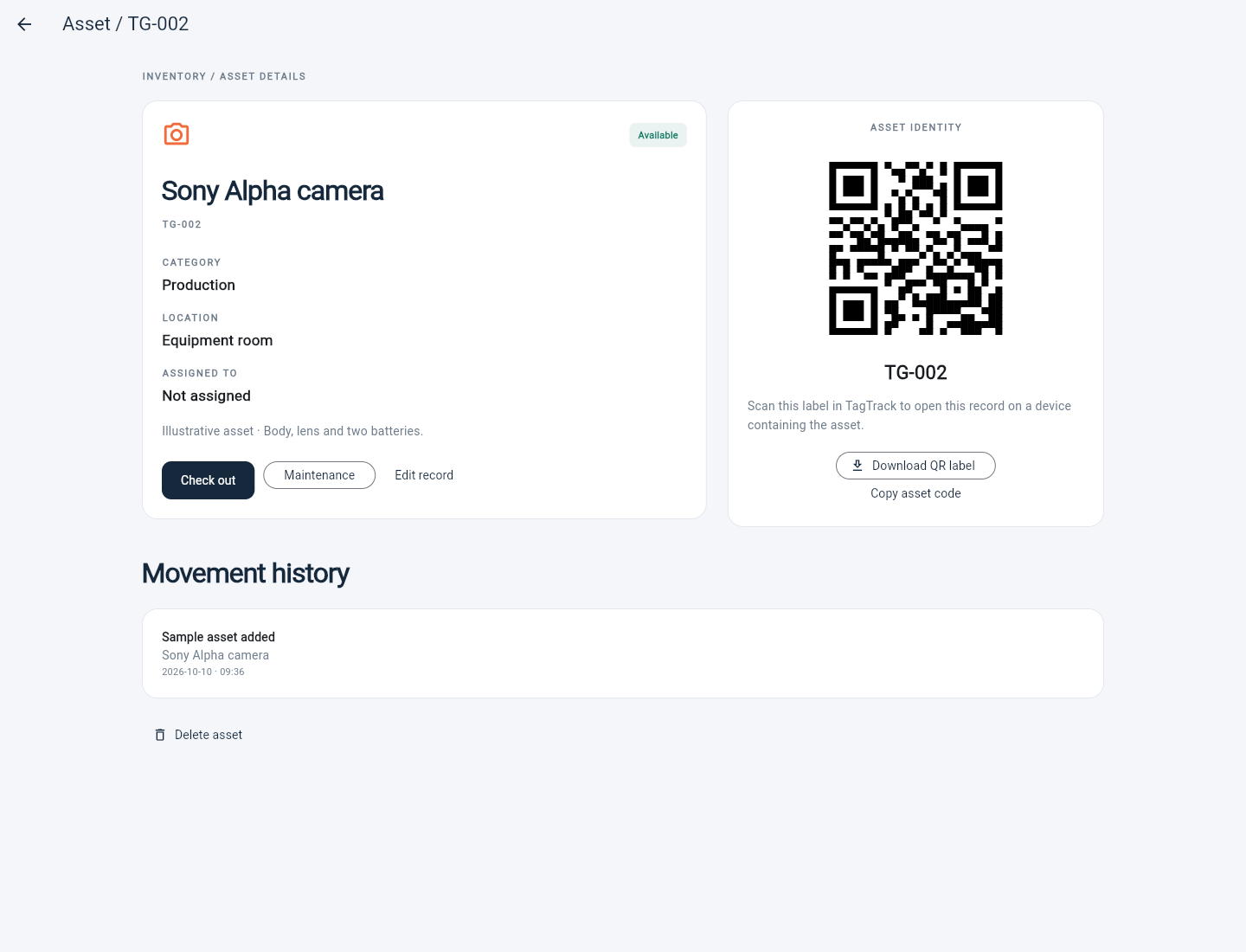
A TagTrack QR code contains an asset ID, not a public cloud record. The receiving device needs the corresponding inventory entry.
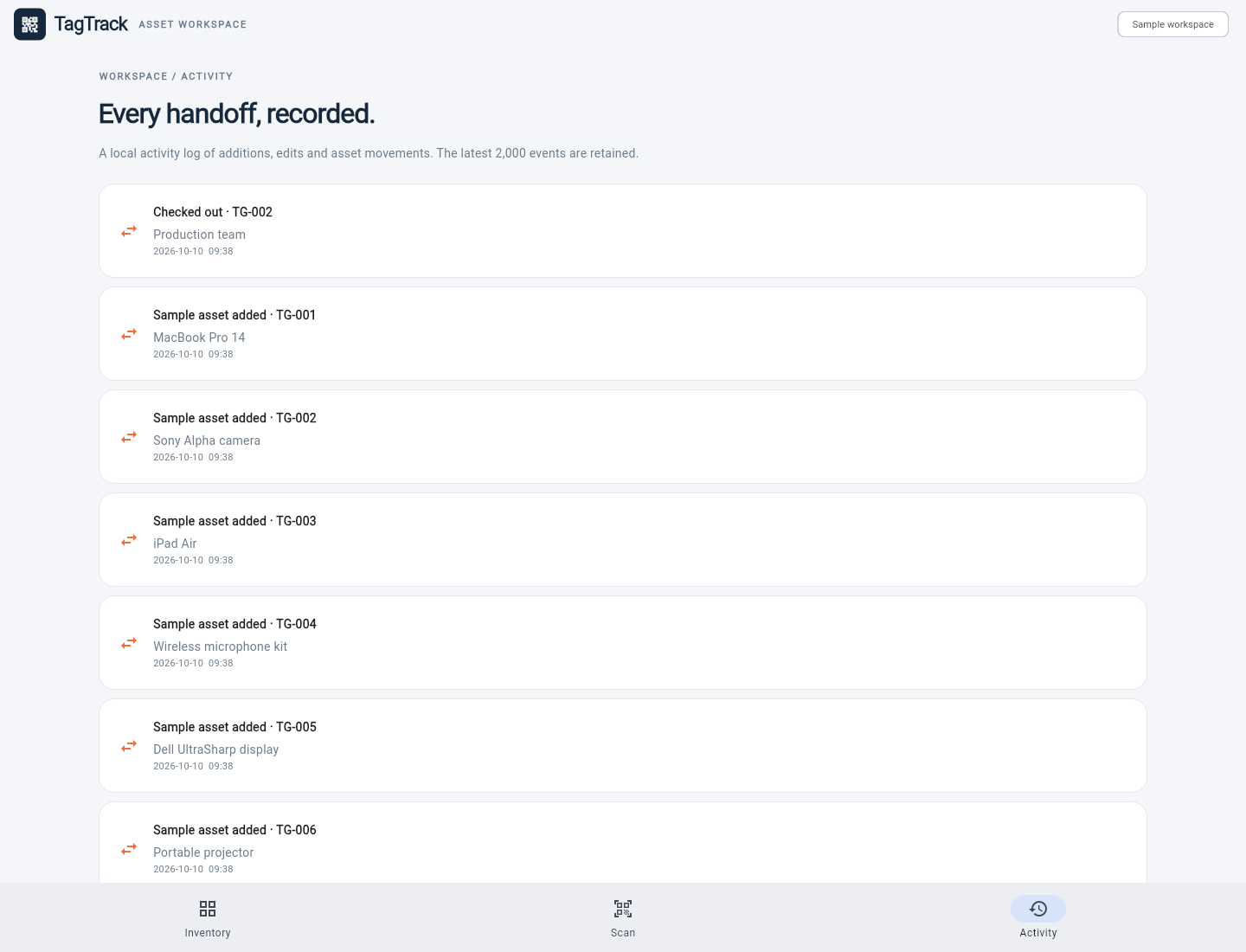
Additions, edits, check-outs, returns and removals are recorded locally. This is a convenience history, not a tamper-proof audit system.
ENGINEERING THAT SUPPORTS THE EXPERIENCE
Small details.
More dependable workflows.
Validated transfers
CSV import checks required fields, status values and duplicate IDs before adding records. Invalid imports leave the existing inventory intact.
Controlled scanning
The camera starts on request. Repeated detections are guarded, scanned content is reviewed, and web links open only through an explicit action.
Recoverable errors
Storage failures, unavailable cameras and invalid input produce visible feedback. Unreadable saved data is preserved instead of silently replaced.
SCOPE & NEXT STEPS
A working foundation
for a business tool.
This portfolio version supports up to 200 local assets and retains up to 2,000 activity events. CSV transfers asset fields; photos and history are not included. Browser storage is unencrypted and can be cleared by the browser.
Shared accounts, roles, cloud synchronization, secure backups and native-device release verification would be separate stages for a client deployment.
Build a tool for your workflow ↗EXPLORE THE DESIGN THINKING
A closer look
at the handoff.
Our separate UI/UX study explores a focused assignment and return flow, with wireframes and a working design prototype. The proposed interface is distinct from this Flutter application.
See the UI/UX case study →